


Blue Rewards login lets Canadian members check Blue Points, review transactions, manage account details, activate offers and redeem rewards from one account. Blue Rewards replaced AIR MILES on June 2, 2026, and eligible AIR MILES balances were converted to Blue Points without reducing their equivalent redemption value.
Existing AIR MILES members kept their membership through the transition, while new users can join Blue Rewards separately. The program now connects retail partners, online shopping, travel, card-linked offers and eligible BMO personal and business products.
This guide covers account access, recovery, missing Points, redemptions, transfers, travel features and the key tools available through Blue Rewards login.
Quick Answer
To access your account, visit the official Blue Rewards website and select Sign In. Most migrated accounts now use an email address and password, while some former AIR MILES members may need to complete account verification during their first login.
After completing the Blue Rewards login, members can check Blue Points, review transactions, manage account details, access offers, report missing Points and redeem eligible rewards.
Key Takeaways
- AIR MILES transitioned into the Blue Rewards program.
- Existing AIR MILES balances were converted into Blue Points.
- Eligible in-store and eGift Card redemptions use 1,500 Blue Points for $10.
- Most members access their account with an email address and password.
- Blue Rewards login lets members check Points, transactions, offers and redemption options.
- Blue Rewards is available even if you are not a BMO banking customer.
- Blue Rewards and BMO Rewards are separate loyalty programs.
- Members can earn Points through participating stores, online shopping, travel and eligible BMO products.
- Points can also be bought, transferred or merged under applicable program rules.
What Is Blue Rewards?
Blue Rewards is a Canadian loyalty program that replaced the AIR MILES Reward Program. Members can use their Blue Rewards login to view Blue Points, transactions, offers and available reward options from one account.
Members earn Blue Points through eligible purchases with participating retailers, online stores, travel services, promotional offers and qualifying BMO products.
Blue Points may be redeemed for eligible rewards such as:
- In-store purchases
- eGift Cards
- Merchandise
- Flights
- Hotel stays
- Car rentals
- Activities
- Travel packages
- Cruises under applicable terms
The program includes hundreds of participating brands across shopping, travel and financial services. Through the Blue Rewards login, members can monitor their balance and manage eligible earning and redemption activity.
A major change from AIR MILES is the use of a unified Blue Points balance, making it easier for members to track and use rewards across participating services.
Blue Rewards at a Glance
| Feature | Details |
|---|---|
| Program | Blue Rewards |
| Country | Canada |
| Previous program | AIR MILES Reward Program |
| Reward currency | Blue Points |
| Standard eligible redemption | 1,500 Points = $10 |
| BMO account required | No |
| Online account | Yes |
| Mobile app | Yes |
| Travel platform | Blue Rewards Travel |
| Online shopping | Blue Rewards Shops |
| Business products | Available through eligible BMO cards |
How to Create a Blue Rewards Account
New customers can join Blue Rewards without having a previous AIR MILES membership. After registration, the Blue Rewards login provides access to the member dashboard, digital card and account-management tools.
To qualify, members generally need a valid Canadian mailing address, a valid email address and must meet the program’s age requirements.
The basic process is:
- Visit the official Blue Rewards website.
- Select the option to join or enroll.
- Enter your personal and contact information.
- Provide a valid Canadian mailing address.
- Add a valid email address and phone number.
- Complete any required verification.
- Receive your Blue Rewards Member number.
- Access your digital Member card.
If you already have an older AIR MILES or Blue Rewards account, recover that account instead of creating a duplicate. Using the existing Blue Rewards login can help preserve your Points, transaction history and membership information.
Blue Rewards Login Canada
The Blue Rewards login in Canada can use either an email address and password or, for some older accounts, a Member number and four-digit PIN. Members who joined more recently or already converted their credentials should use email and password.
Former AIR MILES members may be asked to confirm or create email-and-password credentials during account setup. A Canadian phone number linked to the primary account holder may also be required for verification.
How to Sign In
- Visit the official Blue Rewards website.
- Select Sign In.
- Enter your email address or Member number.
- Enter the matching password or PIN.
- Complete verification if requested.
- Open your member dashboard.
If your account has already been converted to email access, use your email address and password for future Blue Rewards login attempts.
Which Login Should You Use?
| Account Situation | Recommended Login |
|---|---|
| Newer Blue Rewards account | Email and password |
| AIR MILES account already converted | Email and password |
| Older account using legacy credentials | Member number and PIN |
| Email login already enabled | Email and password |
| Forgotten sign-in details | Use account-recovery tools |
| Locked account | Follow official recovery instructions |
Your PIN may still be useful when contacting Customer Care even after your online account has moved to email-and-password access.
Forgot Your Blue Rewards Login Details?
If your Blue Rewards login is not working, try these account-recovery options:
- Forgot password: Use the password-reset option on the sign-in page.
- Forgot email address: Select Recover my sign-in ID and follow the verification steps.
- Forgot Member number: Use the Find Member Number tool in the Support Centre.
- Forgot PIN: Use the PIN-recovery option if your older account still uses one.
- Account locked: Follow the account-unlock instructions sent to your registered email address.
- Still cannot sign in: Contact Blue Rewards Customer Care for help with your Blue Rewards login.
What Can You Manage After Signing In?
After completing your Blue Rewards login, you can manage the main parts of your membership from one account, including:
- Blue Points balance
- Transaction history
- Personal information
- Password and PIN settings
- Digital and physical cards
- Missing transactions
- Point transfers
- Reward orders
- Travel bookings
- Linked cards
- Security settings
- Marketing preferences
The account dashboard and Support Centre also provide self-service tools for updating profile details, managing cards, reporting missing Points and protecting your account.
Blue Rewards
Blue Rewards allows members to earn Points through participating retailers, online shopping, travel, special offers and eligible BMO products. Your Blue Rewards login makes it easier to track those earnings and view available offers in one place.
Members may earn Points through:
- Participating stores
- Online retailers
- Blue Rewards Shops
- Blue Rewards Travel
- Grocery receipt offers
- Card-linked promotions
- Eligible BMO products
- Limited-time offers
Earning rates vary by partner, purchase and promotion, so always check the applicable offer terms before spending.
How Do Blue Points Work?
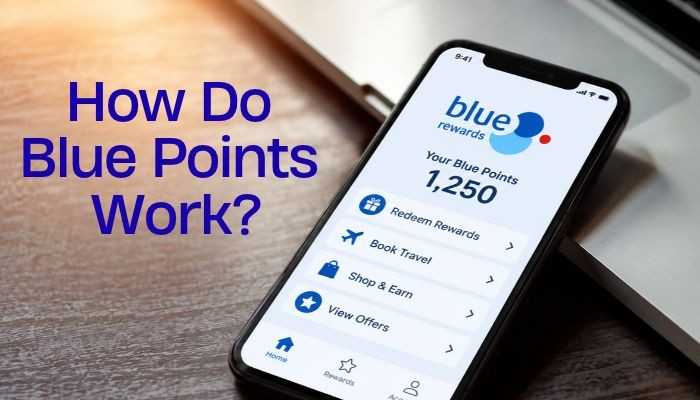
Blue Points are the program’s reward currency. Through your Blue Rewards login, you can check your balance and available redemption options before using Points.
For eligible in-store purchases and eGift Cards:
1,500 Blue Points = $10
Other rewards, including travel and merchandise, can use different redemption rates.
Example Eligible Redemption Values
| Blue Points | In-Store/eGift Card Value |
|---|---|
| 1,500 | $10 |
| 3,000 | $20 |
| 4,500 | $30 |
| 7,500 | $50 |
| 15,000 | $100 |
| 30,000 | $200 |
| 60,000 | $400 |
Eligible in-store and eGift Card redemptions currently have a combined daily limit of $750, or 112,500 Points.
How to Buy Blue Points
Members who need extra Points for a reward can purchase them through the official Buy Points service.
| Blue Points | Current Listed Price |
|---|---|
| 1,500 | $19.00 CAD |
| 3,000 | $38.00 CAD |
| 8,000 | $101.33 CAD |
| 16,000 | $202.67 CAD |
Purchased Points are generally added within two business days, and Point purchases are final. Prices can change, so check the current cost before buying.
Buying Points is most useful when you are close to a specific reward. Remember that the purchase price of Points is not the same as their redemption value.
Blue Miles
The phrase blue miles is sometimes used by former AIR MILES members, but the official reward currency is now called Blue Points.
Existing AIR MILES Reward Miles were converted into Blue Points during the transition to Blue Rewards while preserving equivalent eligible redemption value.
If you are looking for an old Miles balance, check your Blue Rewards login for your current Blue Points balance and transaction history.
How to Check Your Blue Rewards Points Balance
After completing your Blue Rewards login, you can check your Points balance through the website or mobile app.
On the Website
- Sign in to your account.
- View your Points on the dashboard.
- Open Transaction History for earning and redemption details.
In the App
Your Points balance appears on the main screen, while the Transactions section shows recent earning, redemption and adjustment activity.
Checking your balance regularly can help you spot missing Points or unexpected changes.
Blue Rewards Points Missing After a Purchase
Points may not appear immediately. Posting times vary by partner, and some transactions can take up to 60 days to appear. Travel Points may also take up to 60 days after the trip is completed.
What to Do When Points Are Missing
| Situation | Recommended Action |
|---|---|
| Purchase was recent | Allow normal posting time |
| Under 30 days | Continue checking transaction history |
| Partner has a longer timeframe | Follow the partner’s terms |
| Still missing after 60 days | Submit a Missing Transactions request |
| Travel purchase | Allow up to 60 days after travel |
| Returned purchase | Points may be adjusted or removed |
You can submit a missing transaction request through your Blue Rewards login or the mobile app. Keep receipts until the Points appear, especially for promotional purchases.
What Happens After a Return?
If you return an item that earned Points, those Points may be reduced or removed. Any adjustment should appear in your transaction history.
How to Earn More Blue Points
After completing your Blue Rewards login, you can earn more Points through several eligible activities:
- Shop with participating partners: Present your physical or digital Blue Rewards card when required.
- Use card-linked offers: Activate eligible promotions and pay with the linked card.
- Upload grocery receipts: Use qualifying receipt offers in the Blue Rewards app.
- Book eligible travel: Earn Points on qualifying Blue Rewards Travel bookings.
- Use eligible BMO products: Selected credit cards, banking products and business cards can provide additional earning opportunities.
- Check limited-time offers: Review promotions through your Blue Rewards login before making eligible purchases.
Earning rates and offer conditions vary, so check the applicable terms before spending.
Blue Rewards Shops
Blue Rewards Shops lets members earn Points when shopping online with participating brands. After completing your Blue Rewards login, you can access eligible retailers and current earning offers.
The basic process is:
- Sign in to Blue Rewards Shops.
- Choose a participating retailer.
- Open the store through the tracked Blue Rewards link.
- Complete an eligible purchase.
- Wait for the Points to post to your account.
To improve tracking, complete the purchase through the same browser session and avoid switching to unrelated shopping links before checkout.
Before buying, review the retailer’s terms because gift cards, taxes, shipping fees or selected products may not qualify for Points. You can later use your Blue Rewards login to check whether the Points were added.
Blue Rewards for Business: Cards, Spending and Points
Business owners can earn Blue Points on eligible company expenses through selected BMO business cards. A Blue Rewards login can then be used to track Points, transactions and available redemption options.
BMO Blue Rewards Business Mastercard
The BMO Blue Rewards Business Mastercard currently offers:
- 1 Point per $1 on eligible purchases
- 10 Points per $1 at participating Blue Rewards partners
- 10 Points per $1 on eligible Blue Rewards Travel bookings
- 2 Points per $1 on qualifying Canadian gas and EV-charging purchases
- $0 annual fee
Spending limits, eligible merchant categories and other terms apply.
Blue Rewards World Elite Business Mastercard
The World Elite Business Mastercard offers a higher base earning rate of 1.25 Points per $1 on eligible purchases.
Current earning opportunities include:
- 12.5 Points per $1 at participating Blue Rewards partners
- 12.5 Points per $1 on eligible Blue Rewards Travel bookings
- 2.5 Points per $1 on qualifying gas and EV-charging purchases
- 1.25 Points per $1 on other eligible purchases
Business owners should also compare annual fees, insurance, travel benefits, employee cards and financing costs before choosing a card. After earning Points, the Blue Rewards login provides a convenient way to monitor the business reward balance.
How to Redeem Blue Rewards
After completing your Blue Rewards login, you can use eligible Points for:
- In-store purchases
- eGift Cards
- Merchandise
- Entertainment
- Travel
For participating in-store purchases and eGift Cards, the standard redemption rate is 1,500 Blue Points = $10.
Redeeming an eGift Card
- Sign in to your account.
- Open the eGift Card section.
- Choose an available card.
- Select the redemption amount.
- Confirm the order.
eGift Cards can take up to 48 hours to arrive because Blue Rewards may verify the redemption for account security.
Blue Rewards Travel Login and Redemption
After completing your Blue Rewards login, you can book eligible travel using Blue Points, a credit card or a combination of both.
Travel options include:
- Flights
- Hotels and stays
- Rental cars
- Activities
- Packages
- Cruises
Flights, stays, cars, activities and packages are powered by Expedia, while cruises are handled through Redtag.
How to Redeem Points for Travel
- Sign in to your account.
- Open Blue Rewards Travel.
- Choose a travel category.
- Search and select your booking.
- Choose Points, a credit card or both.
- Review the terms and confirm the reservation.
For most non-cruise bookings, any amount of Blue Points can be combined with a credit card. Points may also cover eligible taxes and fees, although exclusions apply to cruises and certain pay-at-property charges.
Flights can generally be booked up to 330 days in advance, subject to airline availability. Cruise bookings follow separate redemption requirements, so check the current terms through your Blue Rewards login before confirming.
Can You Transfer Blue Points?
Yes. Members can transfer Blue Points to another eligible account.
- Standard transfer fee: $0.15 per 16 Points plus applicable taxes
- Blue Rewards for Business Members may have the transfer fee waived.
- The recipient’s Member number and full name are required.
- Transfers are final and cannot be refunded.
Check all recipient details carefully before confirming a transfer.
Can You Merge Blue Rewards Accounts?
Yes. Duplicate accounts or accounts belonging to people in the same household can generally be merged without an additional transfer fee.
Accounts from separate households may be subject to the standard transfer fee. Contact Blue Rewards Customer Care to complete the merge correctly.
Can Family Members Collect Into One Account?
Yes. Additional Blue Rewards cards can be requested for members of the same household. Points earned with those cards are credited to the primary Member number, helping the household build one shared balance.
Does the Old AIR MILES Card Still Work?
Yes. Existing AIR MILES physical and digital cards can continue to work after the transition to Blue Rewards.
The existing Collector number remains the same and is now called the Member number. Members can use the Blue Rewards login to access an updated digital card or request a new physical card.
What to Do If Your Blue Rewards Card Is Lost or Stolen
If your card is lost or stolen:
- Open the Blue Rewards app.
- Go to the card-management section.
- Select the lost or stolen card option.
- Lock the account if needed.
- Request a replacement card.
If you notice unauthorized activity, change your password and contact Blue Rewards Customer Care.
Blue Rewards App vs Website
Both options provide convenient account access, although the mobile app is especially useful while shopping.
| Feature | Website | Mobile App |
|---|---|---|
| Sign in | Yes | Yes |
| Check Points | Yes | Yes |
| Transaction history | Yes | Yes |
| Digital card | Yes | Yes |
| Browse offers | Yes | Yes |
| Receipt offers | Limited | Yes |
| Missing transactions | Yes | Yes |
| Travel access | Yes | Yes |
| Profile management | Yes | Yes |
The app makes it easier to carry your digital card, check transactions and browse offers while away from a computer. Your Blue Rewards login works across the program’s supported digital account tools.
Blue Rewards Login Not Working
If your Blue Rewards login is not working, try these quick fixes:
- Check your login method: Use email and password for migrated accounts, or Member number and PIN if your older account still requires it.
- Reset your password: Use the official password-recovery option.
- Recover your sign-in ID: Find the email address or Member number linked to your account.
- Unlock your account: Follow the instructions sent to your registered email after repeated failed attempts.
- Update contact details: Contact Customer Care if you no longer have access to your registered email or phone number.
- Fix browser or app issues: Reload the page, update the app, clear browser data or try another current browser.
- Avoid repeated guesses: Too many failed attempts can temporarily lock your Blue Rewards login.
Use the official Blue Rewards website or app when recovering account access.
Do Blue Rewards Points Expire?
Blue Points do not follow a simple fixed expiry date, but account inactivity matters. Your Blue Rewards login helps you monitor your balance and recent activity. If no eligible Points are earned or redeemed for 24 months, the account may become inactive and Points may be removed.
To keep your account active:
- Keep your contact information current.
- Check your Points balance regularly.
- Earn or redeem eligible Points before long periods of inactivity.
- Do not assume that simply signing in counts as qualifying activity.
How to Keep Your Account Secure
Protect your Blue Rewards login because your account contains Points with real redemption value.
- Use the official website or app.
- Create a strong, unique password.
- Never share your password, PIN or verification codes.
- Keep your email and phone number updated.
- Review transaction history regularly.
- Report suspicious activity quickly.
- Lock a lost or stolen card when necessary.
Avoid messages asking you to pay money or provide sensitive information to protect your Points.
Blue Rewards and BMO Banking
You do not need to be a BMO banking customer to use Blue Rewards. However, eligible BMO banking and card products can provide additional Point-earning opportunities, while your Blue Rewards login remains separate from your normal BMO Online Banking access.
Eligible BMO products may offer:
- Additional Blue Points
- Card-linked offers
- Partner bonuses
- Travel earning
- Business spending rewards
Blue Rewards vs BMO Rewards
Blue Rewards and BMO Rewards are separate loyalty programs, so your Blue Rewards login should not be confused with a BMO Rewards account.
| Need | Relevant Program |
|---|---|
| Former AIR MILES balance | Blue Rewards |
| Blue Points | Blue Rewards |
| Blue Rewards Member card | Blue Rewards |
| Blue Rewards Business Mastercard | Blue Rewards |
| Traditional BMO Rewards points | BMO Rewards |
| Eligible BMO Rewards card | BMO Rewards |
Check which loyalty program is linked to your card or financial product before trying to redeem Points.
Blue Rewards Customer Support
If self-service recovery does not solve the issue, Blue Rewards Customer Care can help with account access, Member numbers, cards and other Blue Rewards login problems.
Canada and USA: 1-888-247-6453
Toronto: 416-226-5171
Support hours and travel-assistance options can change, so verify the latest contact information through the official Blue Rewards website before calling.
Is Blue Rewards Worth Using?
Blue Rewards can be useful for members who regularly shop with participating brands, travel, use eligible BMO products or redeem Points efficiently. Checking your Blue Rewards login regularly can help you track offers, earning activity and available rewards.
Potential benefits include:
- Online and in-store Point earning
- Travel earning and redemption
- eGift Cards
- Receipt offers
- Business credit card earning
- BMO integrations
- Point transfers and account merging
For business owners, compare card fees, interest rates, insurance, spending requirements and cash-flow needs before choosing a product mainly for Blue Points.
Conclusion
The Blue Rewards login is becoming more than a simple account-access tool. It now sits at the center of a broader loyalty ecosystem that connects everyday spending, travel, retail offers, digital rewards and selected BMO financial products.
For consumers, the value comes from visibility and control. Members can track Blue Points, review transactions, manage offers and choose how to redeem rewards. For businesses, Blue Rewards can also turn routine company spending into an additional benefit when the right card or account fits existing expenses.
The bigger takeaway is that rewards programs are most valuable when they support spending that would happen anyway. Points should complement financial decisions, not drive them.
Used strategically, the Blue Rewards login gives members a practical way to monitor rewards, manage account activity and make more informed redemption choices across the Blue Rewards ecosystem.
FAQs About Blue Rewards Login
1. Can I change the email used for my Blue Rewards login?
Yes. Update your account information where available. If you cannot access the old email, contact Customer Care for account verification.
2. Can I use Blue Rewards login outside Canada?
You may be able to access your Blue Rewards login while travelling, although some account verification or services may still depend on Canadian membership details.
3. Can I use Blue Rewards login on more than one device?
Yes. You can use your Blue Rewards login on supported devices, but additional verification may occasionally be required for security.
4. Can I close my account through Blue Rewards login?
Account-management options are available online, but account closure may require assistance from Blue Rewards Customer Care.
5. Can I change my name after Blue Rewards login?
Profile information can be updated where permitted. Changes to important identity details may require additional verification or Customer Care assistance.
6. Can I use a password manager for Blue Rewards login?
Yes. A reputable password manager can help store a strong, unique Blue Rewards login password securely.
7. Should I stay signed in to Blue Rewards login on a shared computer?
No. Sign out after using your Blue Rewards login on a shared or public computer and avoid saving your password in the browser.
8. Can I bookmark the Blue Rewards login page?
Yes. Bookmark the official sign-in page directly so you can avoid unfamiliar links or imitation login pages.

Source: Cosmo Politian